Teaching Claude to use my Novation Circuit Tracks - Part 1
Exploring how to get an AI to control a hardware synthesizer and sequencer.
Once upon a time, I used to both produce music and work on side projects. These 2 hobbies faded away during the last years: one day you leave it because you are tired from work, another day you are just lazy, the third day you can’t because you have other obligations and at last the habit is gone and so is the joy. Fortunately, I believe in change and recently I decided to own this and revert it. I want to make music again and I want to build stuff. I currently have more free time and making side projects a reality became way easier thanks to AI Assisted Programming. No excuses anymore!
In this very first blog post series, I’m going to guide you through what I’ve done lately.
The Project
Since AI Agents became sentient and acquired the ability to interact with the world around them (what we call “tool calling”) an idea has been roaming in my mind: could I teach an AI Agent to use any of my music gear? My Novation Circuit Tracks has been accumulating dust in my cellar for the last years. This is a good excuse to bring it back to life and make it see the lights again.
For those who don’t know what the Circuit Tracks is, a video is worth more than a million words:
With the will to answer this question, I embarked on a quest together with my squire “Claude Code” - even though sometimes I’m not sure who is the knight, to be honest.
Is this even feasible?
Before I got to it, we first had to check how open is the Circuit Tracks to external control. Luckily, Novation has good documentation for it:
I gave this to Claude Code, gave it my seed prompt and asked it to generate a feasibility report.
# Goal

The main goal of this project is to design and implement a way to control and use a Novation Circuit Tracks using an AI Agent (e.g. Claude Code). The main idea is to connect the device to a laptop and create music using the Novation Circuit in a similar way we create software applications using Claude Code: prompting an AI.

## Desired UX

The user would just talk to the AI agent about what they want.
Example:

- Let's create a new dark techno song

Then the agent would create the patterns in the Novation Circuit Tracks as if a human would do it. It would iterate together with the human (e.g. asking questions, making first a loop and asking if this is the direction that they want, etc.)What came out was both promising and challenging:
- Almost everything is controllable via MIDI, but
- It is not really possible to simulate setting steps into the Circuit Tracks sequencer. This is basically what a human would do, and what I wanted the most.
But I’m a brave person and I didn’t let this demotivate me. I decided to find a way. If there is will, there is a way.
Architecture Overview
The design is rather simple:
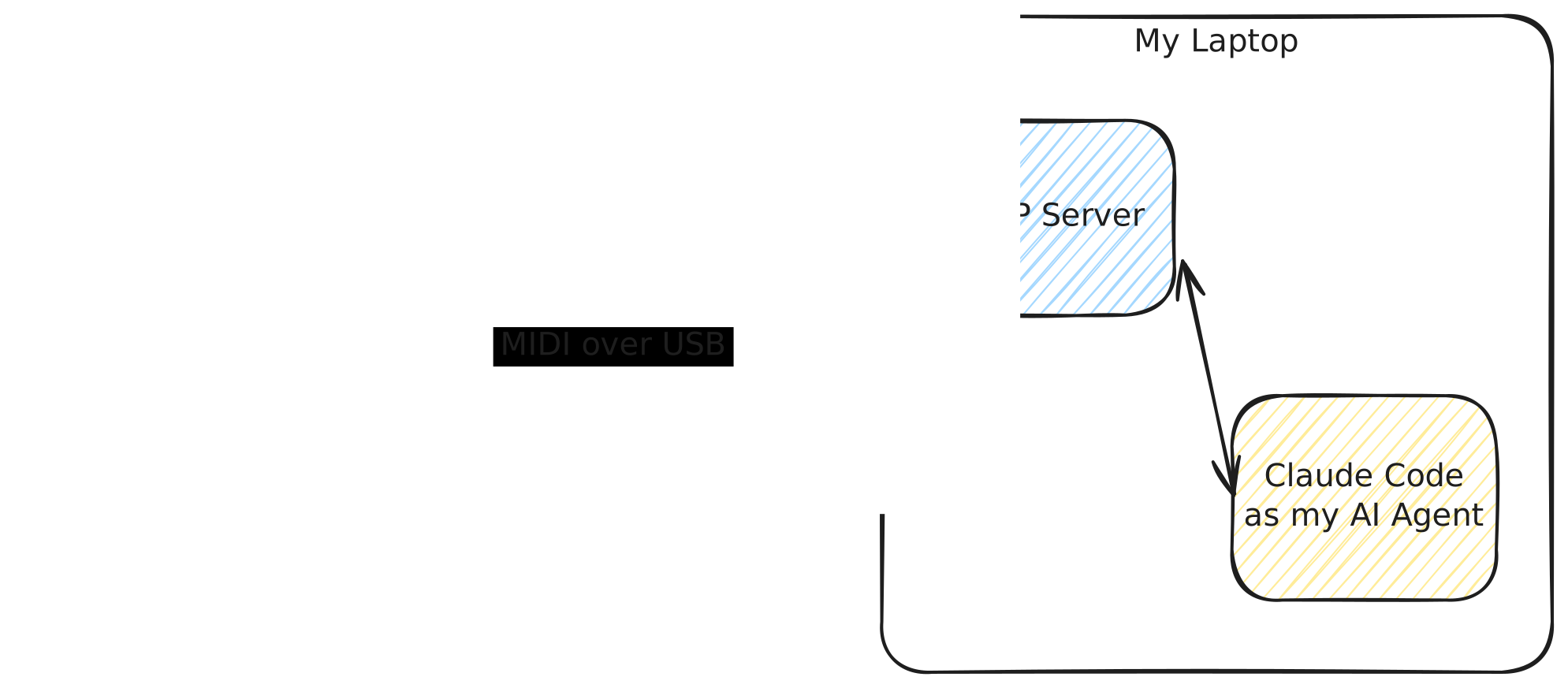
- My laptop will be sending MIDI over USB to the Circuit Tracks.
- An MCP server for the Circuit Tracks will be running on my laptop.
- An MCP Client (e.g. Claude Code) will use the MCP Server to interact with the Circuit Tracks
The MCP Server should give the AI Agent enough tools so it can connect to the device, control it, send notes, interact with the synth engine, etc. The MCP Server will also run a software sequencer to simulate the human workflow with the Circuit Tracks.
But the ultimate goal is that the MCP Server also gives tools to persist everything into the gear, something that we know already is not that easy to do.
The Happy Path
Getting the basics done was really easy peasy. I prompted Claude all my needs, it decided on the tech stack and started building everything right away.
The MCP server is built in Python using the mido library for MIDI interaction and the MCP Python SDK
for the MCP Server itself.
After a few hours of ping-pong with Claude Code and some time testing the MCP interacting with the real device (also inside Claude Code), we got all the basic features done. I could already ask Claude the following:
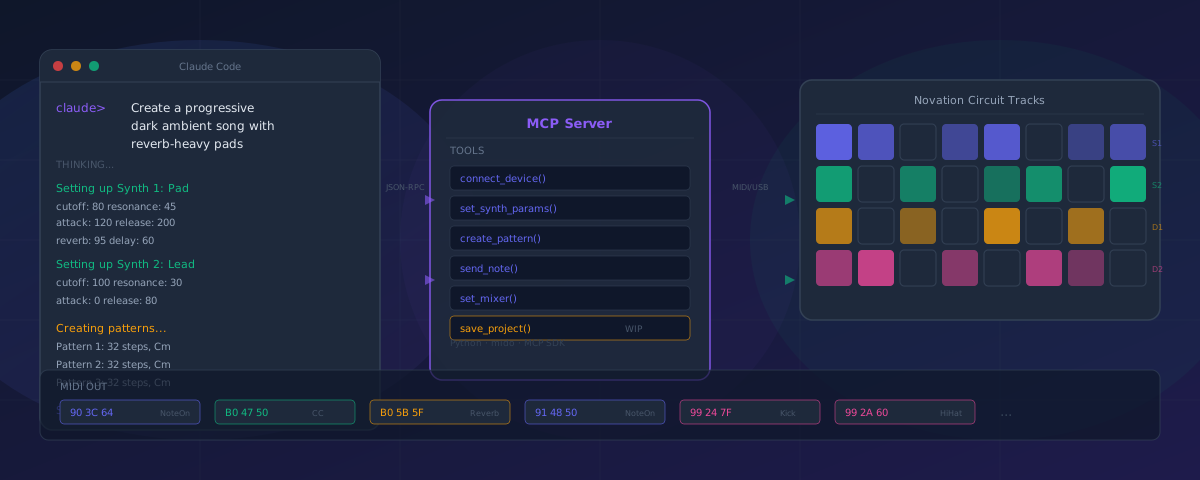
$ Let's build a progressive dark ambient songClaude would then start by building a pad sound for Synth 1 and then a Glassy Lead on Synth 2, selecting a muted kick and a metallic hi-hat for the drum tracks and building a set of 32 step patterns with notes spread across a minor scale. It’d set up parameter morphs - a feature I decided to add just for fun - slowly opening the filter cutoff and increasing reverb decay over time. It finally chained the different pattern variations into a progression. Within seconds, something moody and textured was playing out of the Circuit Tracks. Watching the AI tweaking with filter cutoffs and what not on the Circuit Tracks in real time was somehow surreal.
But we still had a problem: I couldn’t just take what we’ve built with me and keep working on it manually on the Circuit Tracks.
The End Boss
As we learned during the feasibility phase, there is no documented way to simulate a human interacting with the hardware sequencer, setting steps, etc. But there must be a way to do it: the Circuit Tracks allows saving projects and loading them later and those projects can be transferred from and to the device using the official Novation Components software. So I asked myself: what if we just use this to workaround the problem?
We had a plan: we were going to reverse engineer the project format (a proprietary format called ncs) and the way to send it to the gear.
To achieve this goal, we used a combination of the following:
- Research the Internet for existing information. There have been previous attempts to reverse engineer different parts of the Circuit Tracks.
- Reverse engineer the Novation Component’s JS and WASM Code
- Feeding Claude Code with multiple real well-known projects ranging from an empty project to each single feature.
- Sniff at the MIDI comms between Novation Components and the Circuit Tracks whenever we load an
ncsfile to the gear.
Were we able to make it? Or did we fail dramatically? This is something we’ll see in the second part of this series!
Responses
Loading...